Skip to content
Accounting

17 Articles

17 Articles

Reporting

  • AccountingReporting

    Is accounting built into daily property management operations, or is it separate?

    Accounting is the foundation of Kompas rather than a separate purchase bolted on beside it, so the general ledger sits underneath every lease, rent invoice, service ticket and vendor payment you process. When a lease is executed, its terms translate into the accounting system automatically for invoicing and receivable tracking. When a payable is approved and paid, the ledger and your bank position move in the same step. There is no export between a property management system and an accounting system, because there is only one set of books.
  • AccountingReporting

    Does Kompas replace spreadsheets and separate maintenance apps for financial tracking?

    Yes — Kompas replaces the property management software plus separate accounting software setup most operators run, because rent collection, leasing, maintenance and financial reporting all post to the same general ledger. If you run Building Stack alongside QuickBooks today, Kompas removes the second system and the exports between them. Service tickets, rentable items, renewals and payments each carry their own GL coding, so your trial balance, profit and loss and rent roll come out of the platform rather than out of a workbook someone maintains by hand.

  • AccountingReporting

    Can I see real-time NOI and cash flow, or do I have to wait for month-end close?

    Your financial position updates as transactions post, so you do not wait for month-end to see where a property stands. Rent invoices post on the first of the month, payments made through the platform reconcile as of their settlement date, and approved payables hit the ledger as they are approved. Profit and loss, balance sheet and AR listings can be run at any point in the period, scoped to one building, one owner or the whole portfolio. Net operating income is read off the same live ledger rather than rebuilt afterwards.

  • AccountingReporting

    How does month-end close actually work in Kompas?

    Month-end close in Kompas is mostly review rather than data entry, because the transactions that make up the month are already posted. Leases invoice automatically on the first, platform-initiated payments reconcile as of their settlement date, and approved payables post to the default GL accounts you set per supplier. What is left is a bank reconciliation against the transactions Kompas did not initiate, recurring journal entries for items like bank fees, amortization and prepaid expense allocation, and then running your trial balance, profit and loss and balance sheet.

  • AccountingReporting

    How does Kompas handle accounting across a multi-entity, multi-province portfolio?

    Kompas is built for organizations running several legal entities, so each entity carries its own sales tax numbers, invoice templates, sending email address and settings while your team works from one login. Sales tax follows the province: federal only, harmonized, or federal plus a provincial rate, which Quebec calls QST and other provinces call PST. Owners, buildings and portfolio segments report separately or consolidated, and the supplier list is shared across every entity, so a vendor added once can be invoiced and paid from any of them.

  • AccountingReporting

    Does Kompas support multiple owners, buildings, and provinces, each with their own chart of accounts?

    Yes — you can run a separate chart of accounts for each entity, using your own account numbering, descriptions and groupings rather than a fixed structure imposed on you. Owners, buildings and portfolio segments are reported on individually or rolled up together, and provincial differences are handled through sales tax rates rather than through separate books. An Alberta entity charging GST only and a Quebec entity charging GST plus QST sit in the same Kompas account without either side compromising on how its financials are presented.

  • AccountingReporting

    What actually happens when I migrate my accounting data to Kompas?

    Your data is extracted from your existing system, mapped to the Kompas database using a migration tool, and scrutinized by the onboarding team for accuracy, completeness and validity before go-live. Playbooks already exist for Hopem, Building Stack, QuickBooks, Yardi Breeze, PlexFlow and Proprio. A CPA leads the engagement, and go-live is scheduled for the start of a month so your books cut over cleanly on a proper cut-off date. Expect several hours a week from your team for two to three weeks during the migration itself.

  • AccountingReporting

    Can I process payroll in Kompas?

    No — Kompas does not process payroll and there are no plans to add it, so you will need a third-party payroll provider. The workaround is straightforward: post the payroll entry from your provider as a journal entry, and use the draft journal entry from existing entry feature to copy last period's entry instead of rebuilding it every pay run. Your labour costs then sit in the same general ledger as everything else, coded to the buildings and departments you choose.

  • AccountingReporting

    What standard reports come with Kompas?

    Kompas ships a library of standard reports spanning accounting, lease management and maintenance — trial balance, profit and loss, balance sheet, rent roll, AR listings, vacancy reports and more. They run against live data, so a report pulled mid-month reflects the invoices, payments and payables posted to that point. Every report can be scoped to a single building, one owner, a segment of the portfolio or the whole book, and exported as PDF or Excel.

  • AccountingReporting

    Can I customise reports and choose my own fields and columns?

    Yes — enhanced reporting in Kompas lets you configure a report at a granular level: choose which fields appear, how the rows are grouped, and the column types and widths, then output the result as PDF or Excel. Where a standard report offers twenty possible columns, you select the ones you want in the order you want them and the export comes out exactly that way. Configured reports can then be saved and merged into a single reporting package.

  • AccountingReporting

    Can I merge reports into one package for my owners?

    Yes — Kompas lets you select your customised reports and merge them into a unified reporting package with a cover letter, your branding and an executive summary. That replaces the usual monthly routine of exporting five reports, pasting them into a document and formatting the whole thing by hand. Because the underlying reports run on live data, the package can be regenerated at any point in the month rather than only once the books are closed.

  • AccountingReporting

    Can I use my own chart of accounts?

    Yes — you can adopt your own chart of accounts in Kompas, with the account numbering, descriptions and groupings you already use, rather than being forced onto a fixed structure. That matters on migration, because your historical reporting and your accountant's working papers keep their shape. Separate entities can run separate charts of accounts where their operations genuinely differ, and rentable items such as parking and lockers carry their own GL codes so income breaks down by type.

  • AccountingReporting

    What reports does my accountant get for year-end tax filings?

    Kompas generates the bookkeeping reports your accounting and tax professionals need at year-end, including detailed ledgers, the T776, the TP-1086 and a trial balance. Because leases, payments, payables and maintenance costs all post to the same general ledger through the year, the year-end package is a matter of running reports rather than reconstructing twelve months of activity from bank statements. Everything exports in PDF or Excel, whichever format your accountant prefers to work in.

  • AccountingReporting

    Do I have to buy accounting separately from the rest of Kompas?

    No — every Kompas subscription includes the full accounting system alongside payments, lease management, maintenance and the tenant portal. There is no accounting tier to add and no per-feature pricing, and because subscriptions are priced per unit rather than per user, your bookkeeper, controller and external accountant cost nothing extra to bring on. What differs between the Explorer, Navigator and Fleet plans is the open API and custom integrations, plus service levels.

  • AccountingReporting

    Can I post journal entries and recurring journal entries?

    Yes — Kompas supports both one-off journal entries and recurring journal entries for the items that repeat every period, such as bank fees, amortization and prepaid expense allocation. There is also a draft journal entry from existing entry feature, which copies a previous entry so you are adjusting figures rather than rebuilding the whole entry each month. This is also the route by which payroll from your third-party provider gets into the books.

  • AccountingReporting

    How usable are the Excel exports if I want to analyse the data myself?

    Kompas exports come out as a clean table structure that needs little to no massaging before you can work with it — no merged cells, no repeated header rows, no report formatting to strip out first. That is a deliberate departure from most property management software, where exports are built to be printed rather than analysed. Combined with enhanced reporting, you choose which columns appear and in what order, so the file arrives already shaped for your model.

  • AccountingReporting

    What happens to my general ledger when a lease is signed?

    The moment a lease is executed in Kompas, its terms translate into the accounting system automatically for invoicing and receivable tracking, so nobody re-enters the rent, the term or the inclusions for accounting purposes. Rentable items on that lease, such as parking spaces and lockers, carry their own GL codes, which is what breaks your income down by type: residential, commercial, recoveries, parking, lockers and discounts. Vacancy updates in real time on the leasing dashboard at the same moment.

More in Accounting


Kompas is built by property managers who’ve scaled real portfolios. We’re secure, open to the tools you already use, and ready for the people who depend on it.

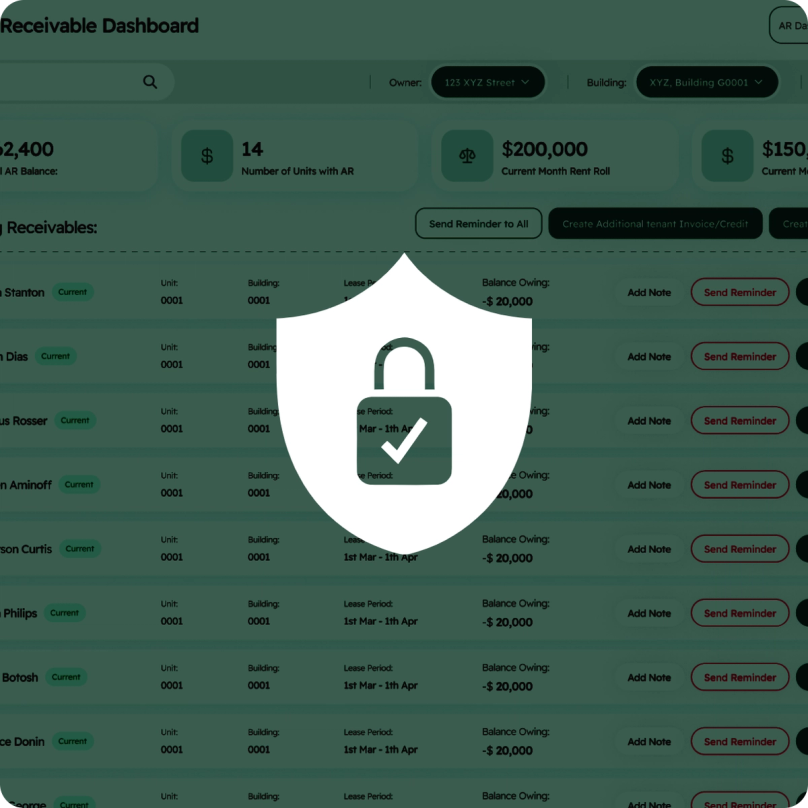
A security shield with a padlock over the Kompas receivables dashboard

Secure And Audit-Ready

Your financial and tenant data is encrypted on Canadian servers, with role-based access and SOC 2 compliance. Every document and change is logged, so the paper trail is always there when an owner or auditor asks.

Synced reporting, bank reconciliation and cash flow entries above a sample of API code

Open API Integration

An open API with two-way sync keeps Kompas in step with the tools you already use. You can even connect your data to the AI assistant of your choice to analyze it in ways legacy software couldn’t.

The Kompas sign-in screen over a list of imported units

Onboarding in Weeks, Not Months

Our Chartered Professional Accountants move your books over accurately, verify every number, and stay with your team until the new system is running and everyone’s confident in it.

The Kompas tenant portal on a phone

A Home For Your Tenants

Residents pay rent, access their lease, and submit repairs from a self-service portal. No more late-night texts to your cell, and better communication for everyone. Because happier tenants who can help themselves are tenants who renew.