

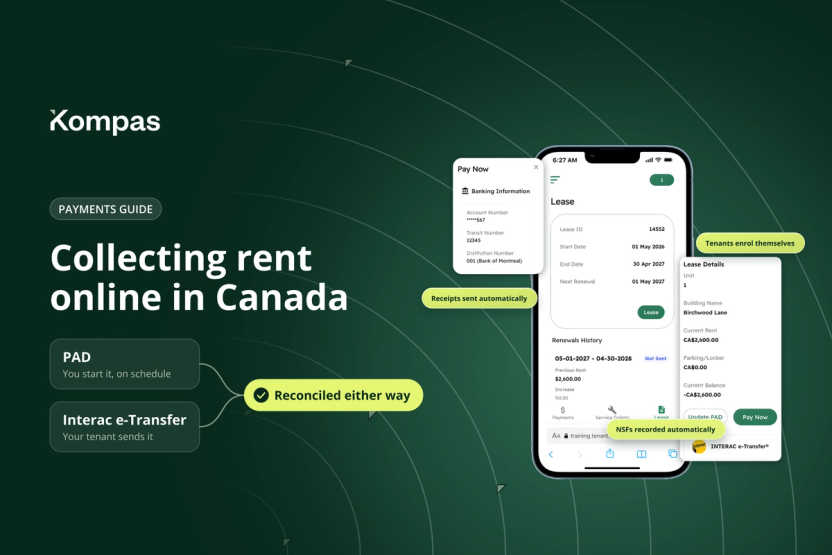
Interac e-Transfer rent collection: how to stop matching payments by hand
Why e-Transfers get harder to match as you grow, the six habits that fix it, and how Kompas matches each payment to the right lease and posts it to the ledger.
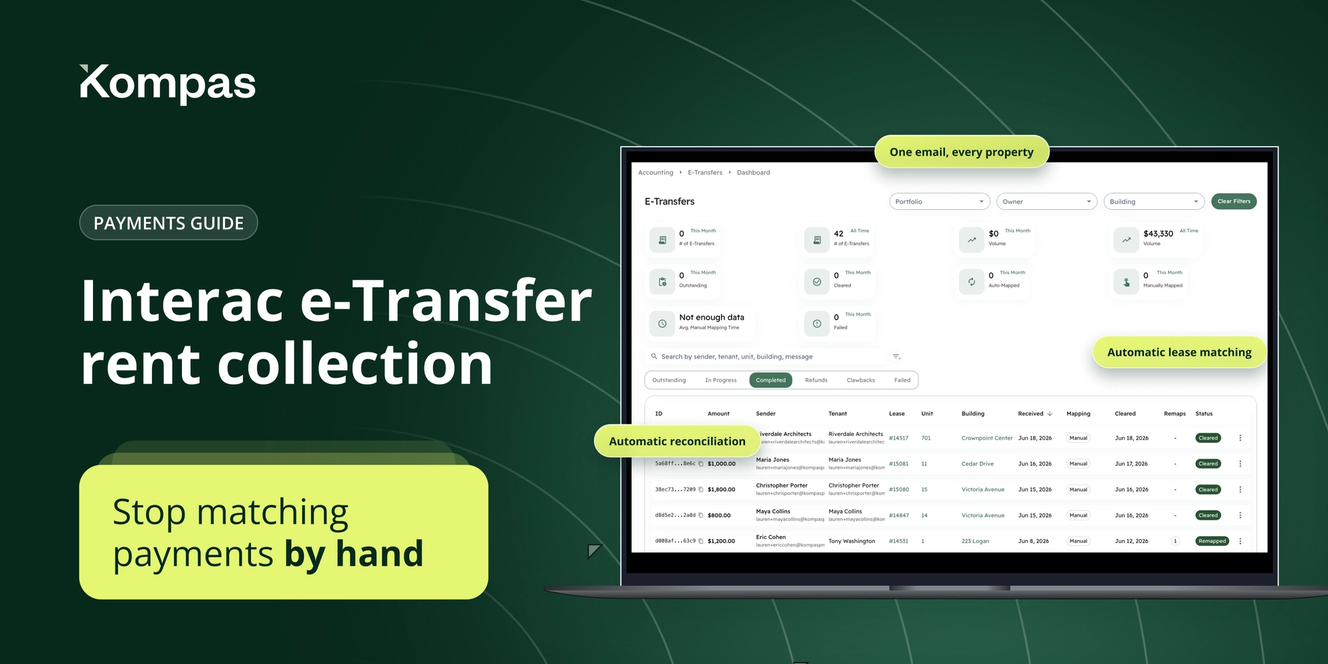
For most property managers, the first of the month is a lost day. Hundreds of e-Transfers land in the inbox, half of them unlabelled. One operator told us a mystery $25 payment turned out to be "for a key." Someone spends the morning matching money to leases, and by the time it's done, the real work hasn't started.
Collecting rent by Interac e-Transfer is easy. Matching it is the job. Here's how to set it up so matching stops being manual, and what that does for your books.
Can you collect rent by Interac e-Transfer?
Yes. Tenants send the payment to an Interac e-Transfer email address you control, and the money moves between bank accounts. Collecting is the easy part. The hard part is knowing which tenant and lease each payment belongs to, and recording it correctly.
An e-Transfer arrives with a sender name, an email address, an amount and an optional message. None of those is guaranteed to match what's on the lease.
Why does matching get harder as you grow?
Because the details on an e-Transfer rarely map cleanly to a lease. At 50 units that's a nuisance. At several hundred, it's a morning's work every month.
- Different names: the sender is a roommate, a parent or a company, not the tenant on the lease.
- Different accounts: the same tenant pays from a joint account one month and a personal one the next.
- No label: there is no message, or it's about something else, like a key or parking.
- Split payments: two payments arrive for one unit.
Until a payment is applied to a lease, the tenant still shows as owing and your bank reconciliation carries a deposit nobody can explain. Then tenants write in to ask whether you got it. Every unmatched payment also slows down month-end close.
What are the best practices for Interac e-Transfer rent collection?
Use one dedicated address for rent, give every tenant a unique reference, save a standing match for each regular sender and work exceptions from a queue instead of an inbox. Then record and reconcile each payment as it clears.
- One address for rent: keep rent out of your general inbox.
- A reference on every payment: a unique code per lease turns most matches into a lookup.
- A standing match for regular senders: if the same sender pays every month, make the match once.
- One exceptions queue: anything that can't be matched automatically goes to one list that one person owns.
- Same-day recording: apply the payment to the lease ledger as it clears, so balances and statements stay current.
- A correction trail: fix a payment applied to the wrong lease with a reversal, not by editing numbers.
How does Kompas match e-Transfers to leases?
Kompas checks each incoming e-Transfer for a payment reference code, then for a saved matching rule for that sender. If neither exists, the payment goes to an Outstanding queue with suggested matches for you to confirm.
In what order does Kompas check?
Always in the same three steps, from the most certain match to the least.
- Reference code: tenants see a unique payment reference code in the tenant portal. A payment that carries it is matched to the right lease automatically.
- Matching rule: a rule links a sender's email to a lease. You create it the first time you map a payment from that sender. Set its expiry to follow the lease end, and it carries over when the lease renews.
- Outstanding queue: everything else waits here. Kompas suggests matches and labels each one high, medium or low confidence. You review and confirm.
The confidence levels follow simple logic. High means a rule already exists for that sender. Medium means the sender has been matched to a lease before. Low means the sender's name is similar to a tenant's. One-off senders are mapped by hand when they arrive, so they don't need a rule.
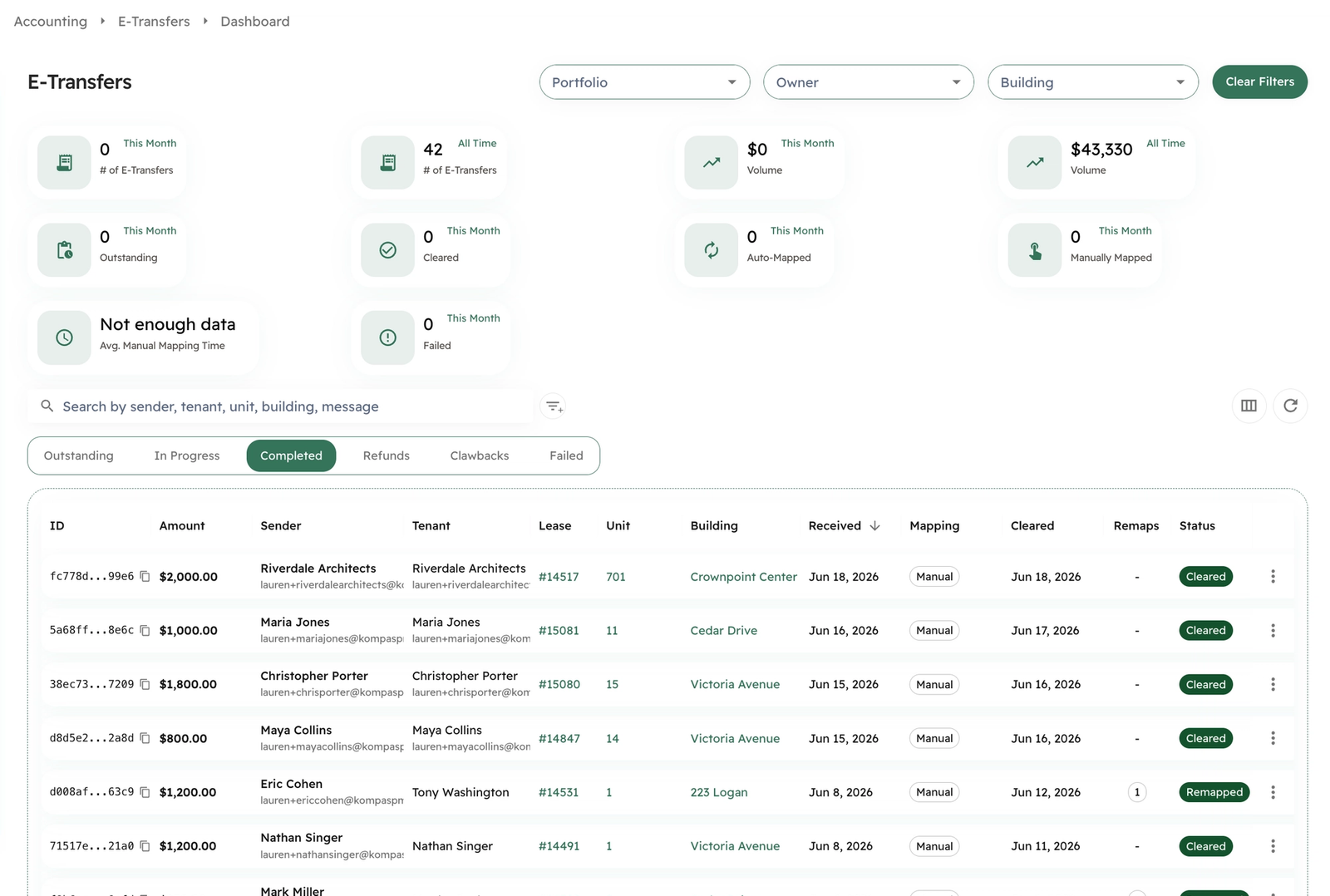
One e-Transfer address can serve every owner and entity you manage, and each payment settles into the right owner's bank account.
What happens after a payment is matched?
Kompas records the payment against the lease and the general ledger, then reconciles it automatically when it clears.
- Recorded: the payment posts to the lease ledger and the general ledger.
- Reconciled: e-Transfers reconcile automatically when they clear.
- Settled: an e-Transfer settles to the owner's bank account the same day it is mapped to a lease.
- Logged: it moves through Pending, Mapped, Processing, Awaiting settlement and Cleared, and every status change, by a person or by the system, is logged.
What do you need in place before you accept e-Transfers?
Three things: your organization approved to process online payments, a bank account set up for each owner, and tenants invited to the tenant portal. The Kompas onboarding team handles the payments application with you.
- Approval: online payments (PAD, e-Transfer and EFT) need a merchant approval. You provide the documents on a checklist, and Kompas manages the application. Start early: timing depends on complete documents.
- Bank accounts: each owner's bank account is mapped to its ledger account, so settlements land in the right place.
- Portal invitations: the tenant portal is opt-in. A tenant needs an email on file and an invitation before they can see a reference code and pay from the portal.
A tenant can still send an e-Transfer without using the portal. It waits in the Outstanding queue until you map it.
Watch an e-Transfer go from received to reconciled in Kompas.
See it liveFrequently asked questions
An e-Transfer settles the same day it is mapped to a lease. Payments that match automatically are mapped as they arrive. Others settle once you map them from the Outstanding queue.
No. Rules are for regular senders. Tenants who include their reference code are matched without one, and one-off senders are mapped by hand when they arrive.
It lands in the Outstanding queue. Kompas suggests likely matches, you confirm one, and you can save a rule so the next payment from that sender matches automatically.
No. Kompas receives e-Transfers by auto-deposit, so nobody has to answer a security question.
A super user can cancel and refund an e-Transfer that is still pending. A payment applied to the wrong lease after it clears is corrected by remapping.
As of October 2026, Kompas's published fee is $1.50 per Interac e-Transfer transaction. The landlord or property management company pays it, not the tenant.
Newsletter
GET THE NEXT GUIDE IN YOUR INBOX
Practical guides for property managers on accounting, payments and leasing. One email a month.